
Your Entire Production Workflow, in One Place
Plan, cut, review and deliver every content piece at volume. Use the tools your team needs, in the order your team already works.
Start free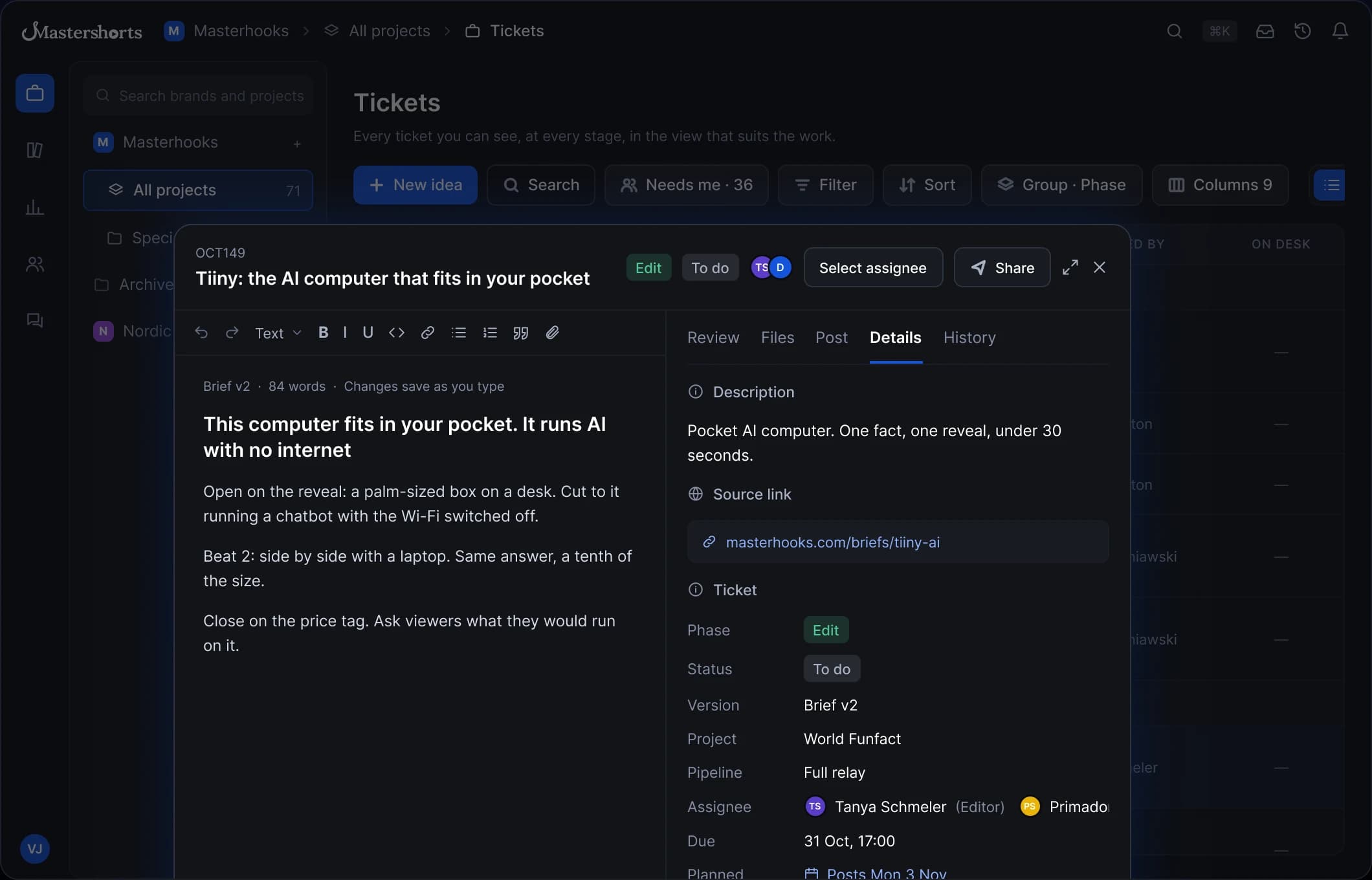

One Ticket. Every Desk. Idea to Publish.
Every content piece has one ticket, and every desk knows exactly when it's their turn.
Accept or Reject in One Click
Each gate routes the ticket on, or back to the right desk with feedback.
Full Audit Trail on Every Ticket
Every handoff, note and decision is logged on the ticket itself.
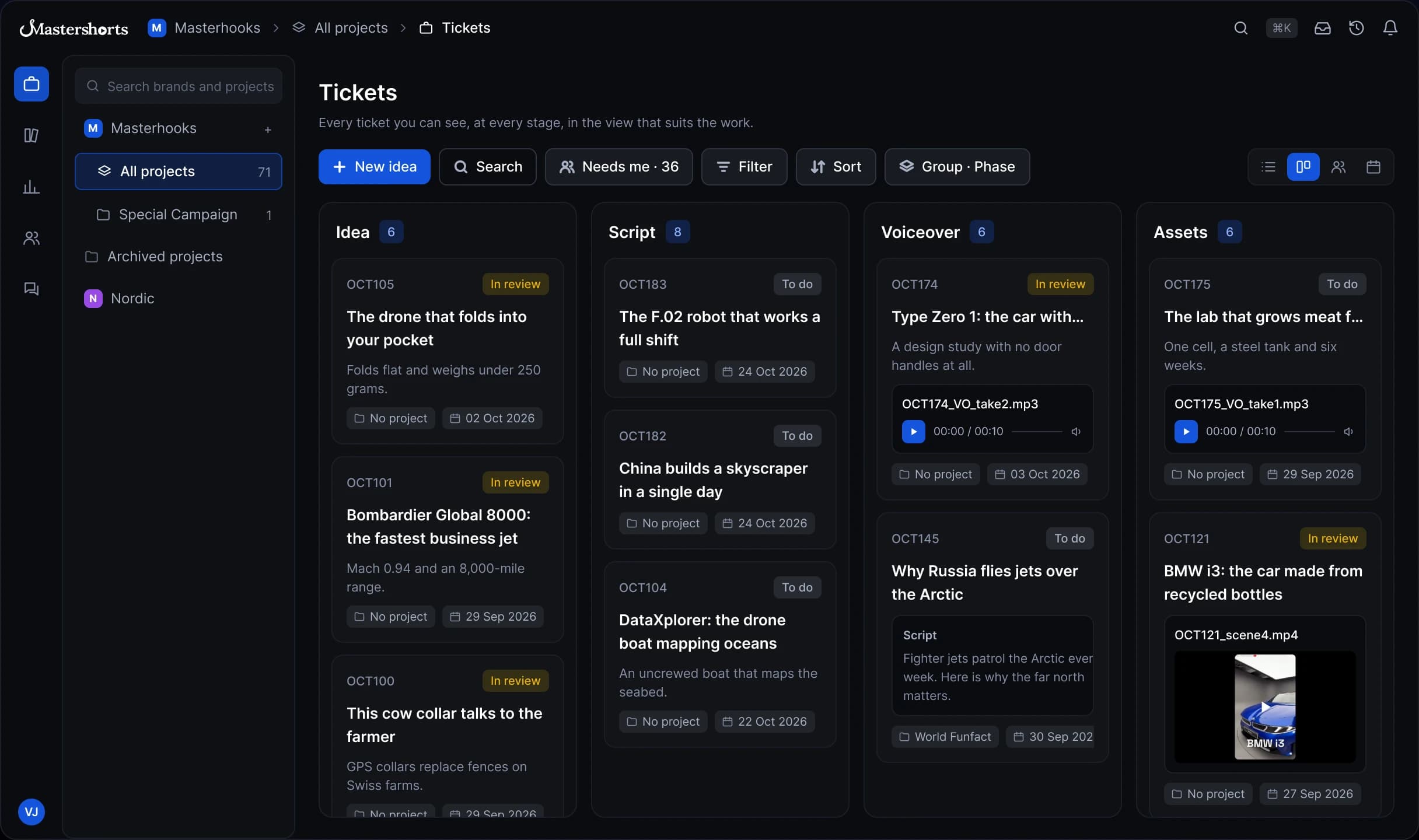
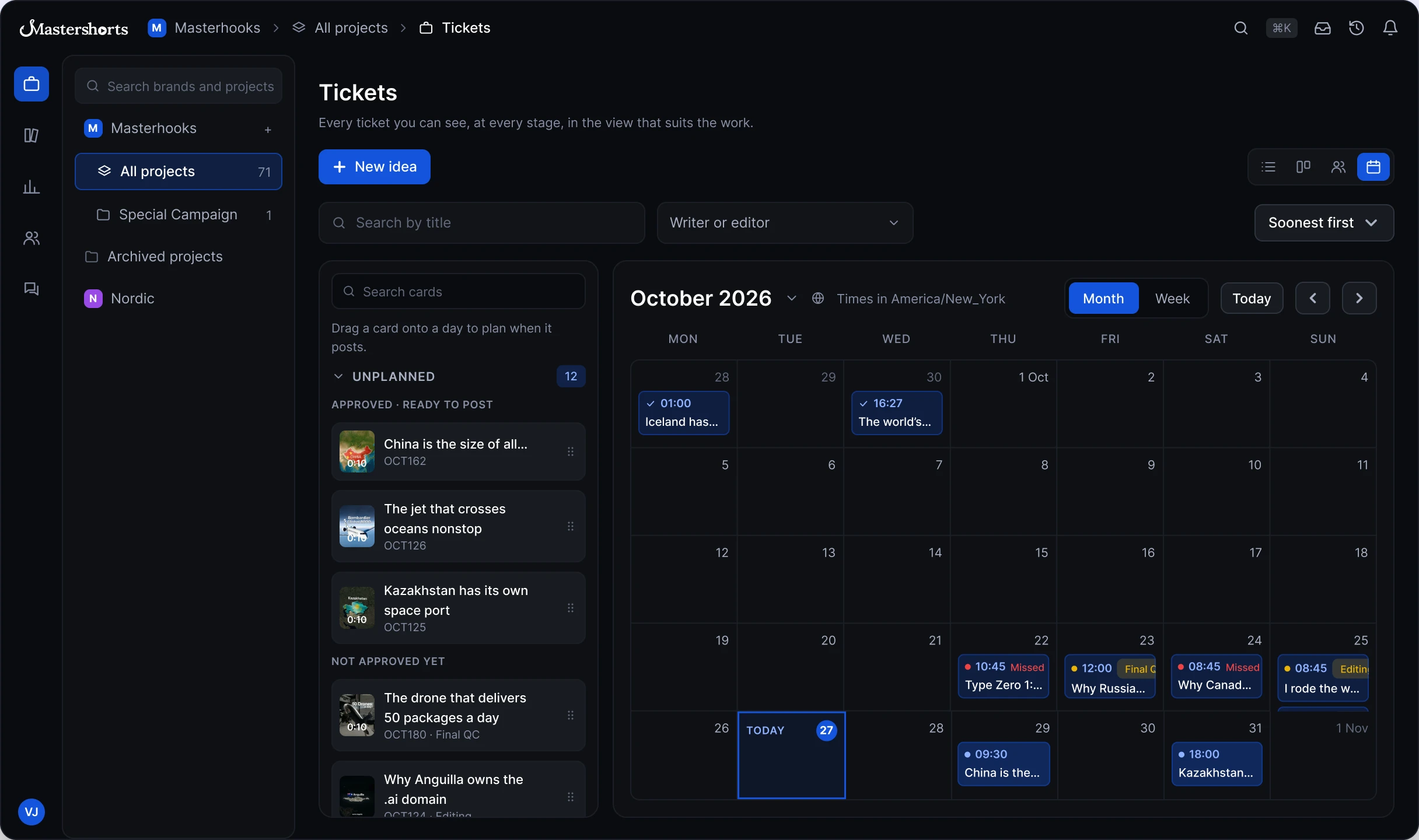
List, Board, Workload, Calendar: Same Data
Switch views without losing context. Every desk sees the same ticket.
Idea desk pitched the topic and the angle. Approving it turned the pitch into this ticket.
✓ Approved by Luisa Fisher · 28 Oct, 10:15Script desk approved the hook and the fact, then handed the ticket to Voiceover.
✓ Approved by Luisa Fisher · 29 Oct, 14:02Sound desk reviewer listens to the take. Approve moves it to Assets. Reject sends it back to the Sound desk with a note.
Assets desk pulls from the drive. Opens as soon as Voiceover is approved.
Assigned to Velle JohnstonEditor cuts V2 with the approved voice and assets. Starts after Assets.
Assigned to Buster SwartzweltProducer watches the full cut against the brief and leaves notes on the exact frame.
Assigned to Tanya SchmelerCreative lead checks tone, brand and the hook before signing off.
Assigned to Luisa FisherQC checks safe zones, captions and audio levels for every platform.
Assigned to Flo StreichThe approved cut is scheduled to every platform from one place.
Planned for Mon 3 Nov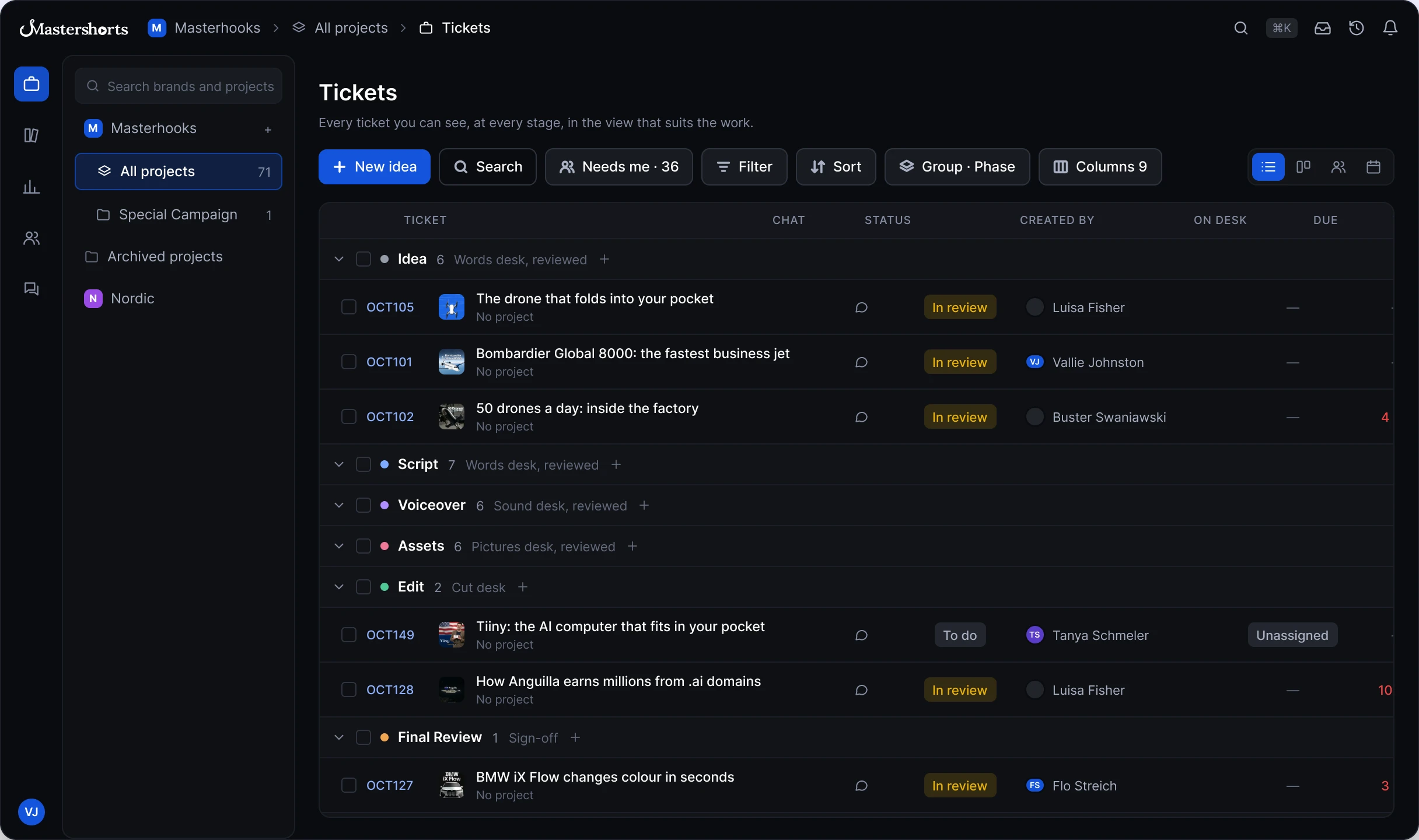
Feedback That Lands
on the Exact Frame
Point at the problem, not around it. Leave feedback right on the timeline, compare any two cuts, and keep the whole history of every version in one place.


Feedback on the Timeline
Pin a note to the exact second or a span. Markers sit on the track so everyone jumps straight to the moment.
Compare Any Two Versions
Play 2 different versions side by side, in sync, and see exactly what changed between cuts.
Full Version History
Every cut keeps its notes, replies and fixes, so you can see what changed and why.
One Drive for Every File You Reuse
Videos, voiceovers, logos, templates, SFX, and music in a drive inside Mastershorts. Save a file once and pull it into any scene, on any ticket, for every piece after.
- A shared drive built into the workspace
- Save every type of file once, reuse them everywhere
- Drop library files straight into any scene
- Time range
- 00:00:00 – 00:00:04
- Script
- “This drone delivers 50 packages a day. Watch.”

- Time range
- 00:00:04 – 00:00:07
- Script
- “Each flight takes under eight minutes, door to door.”


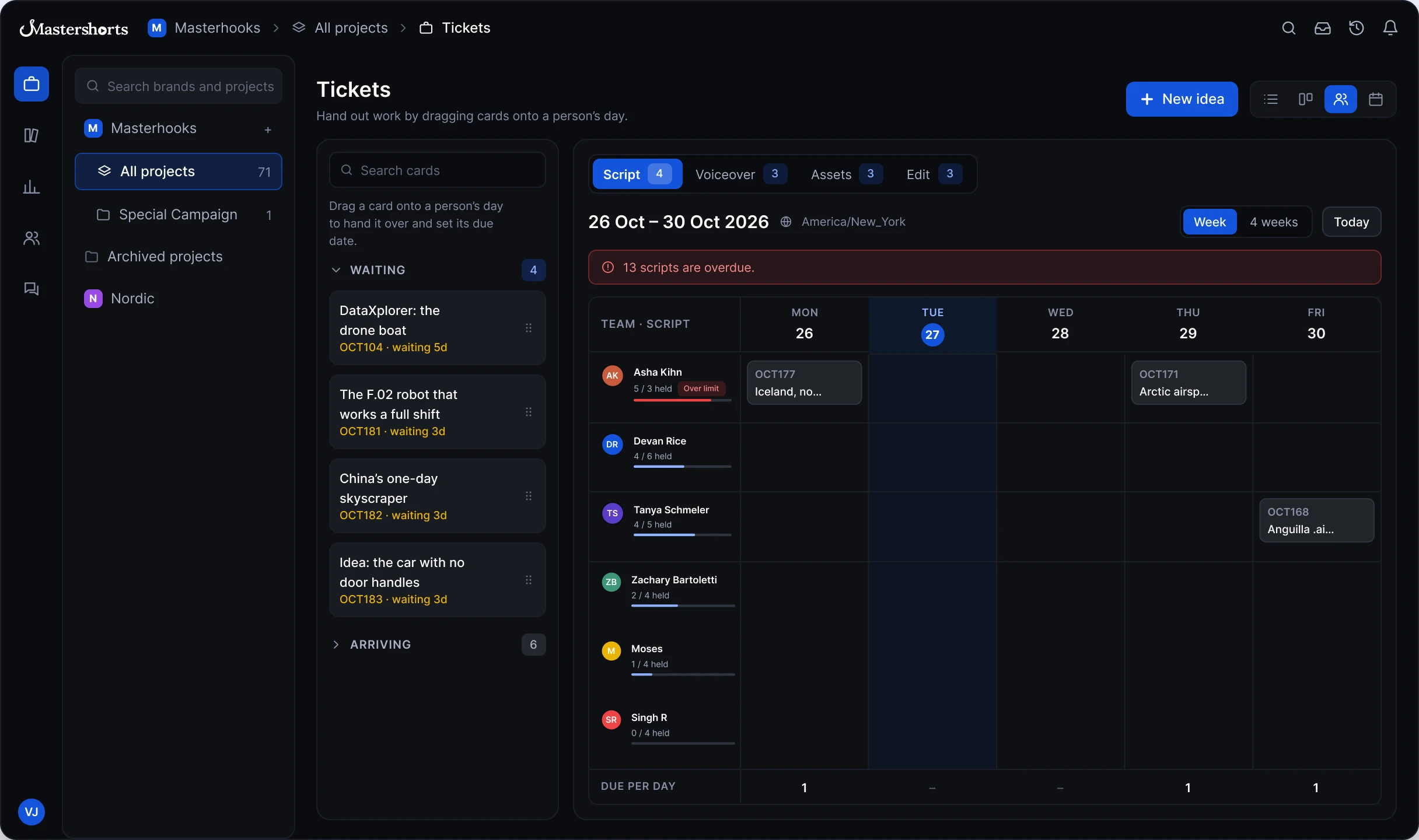
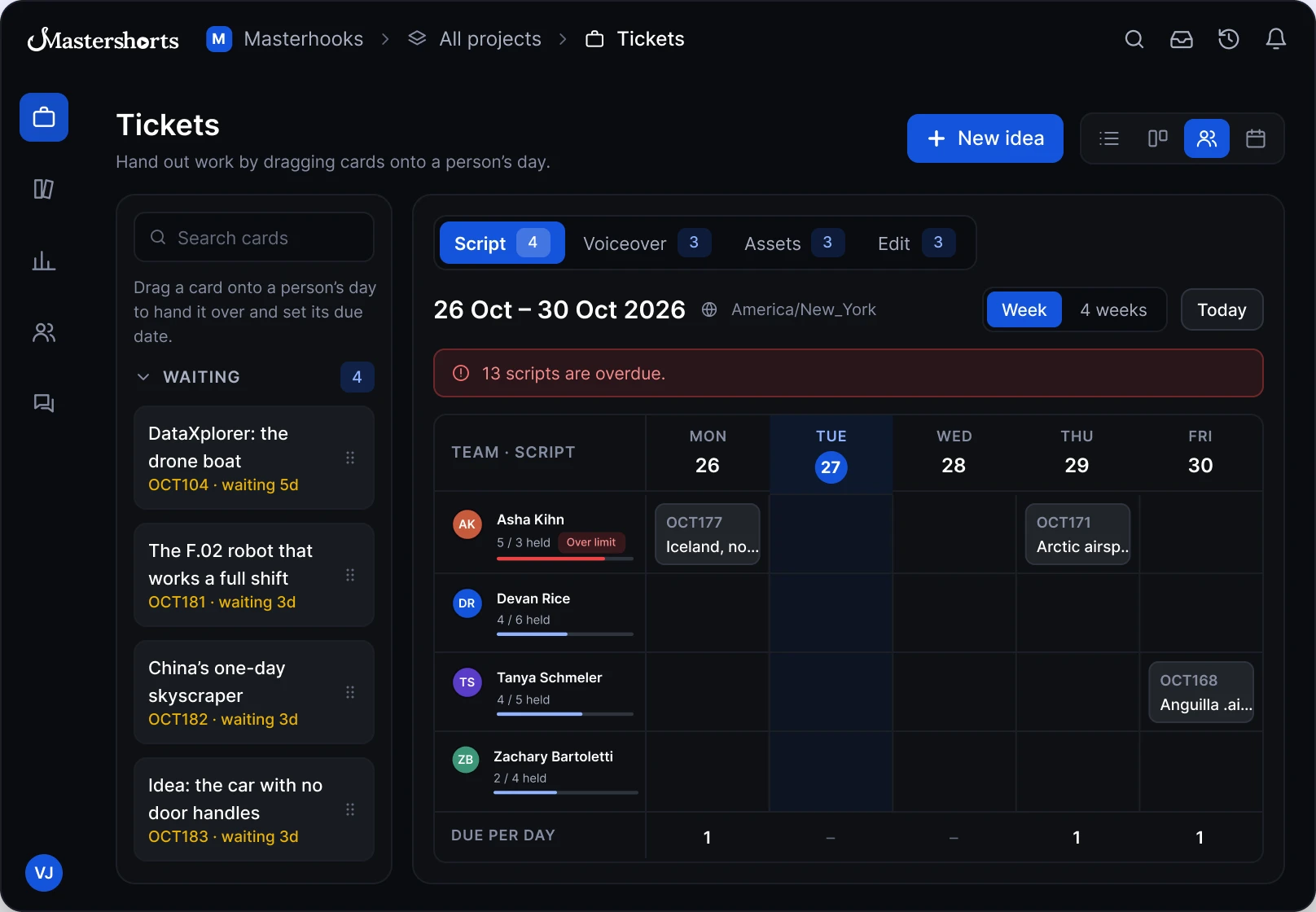
Drag, Drop, Delivered. Nobody Over Their Limit.
Hand out work in one drag. Mastershorts knows who has room and nudges anything that stalls.
- Drag a card onto a person's day to assign and set the due date
- Claim limits per person: Over limit or Has room
- Auto-nudge after 24 or 48 hours idle
- Waiting and Arriving queues, plus overdue alerts
See the Bottleneck Before
It Costs You a Post
Know your slowest step, your cleanest desk and your first-pass rate without building a spreadsheet.
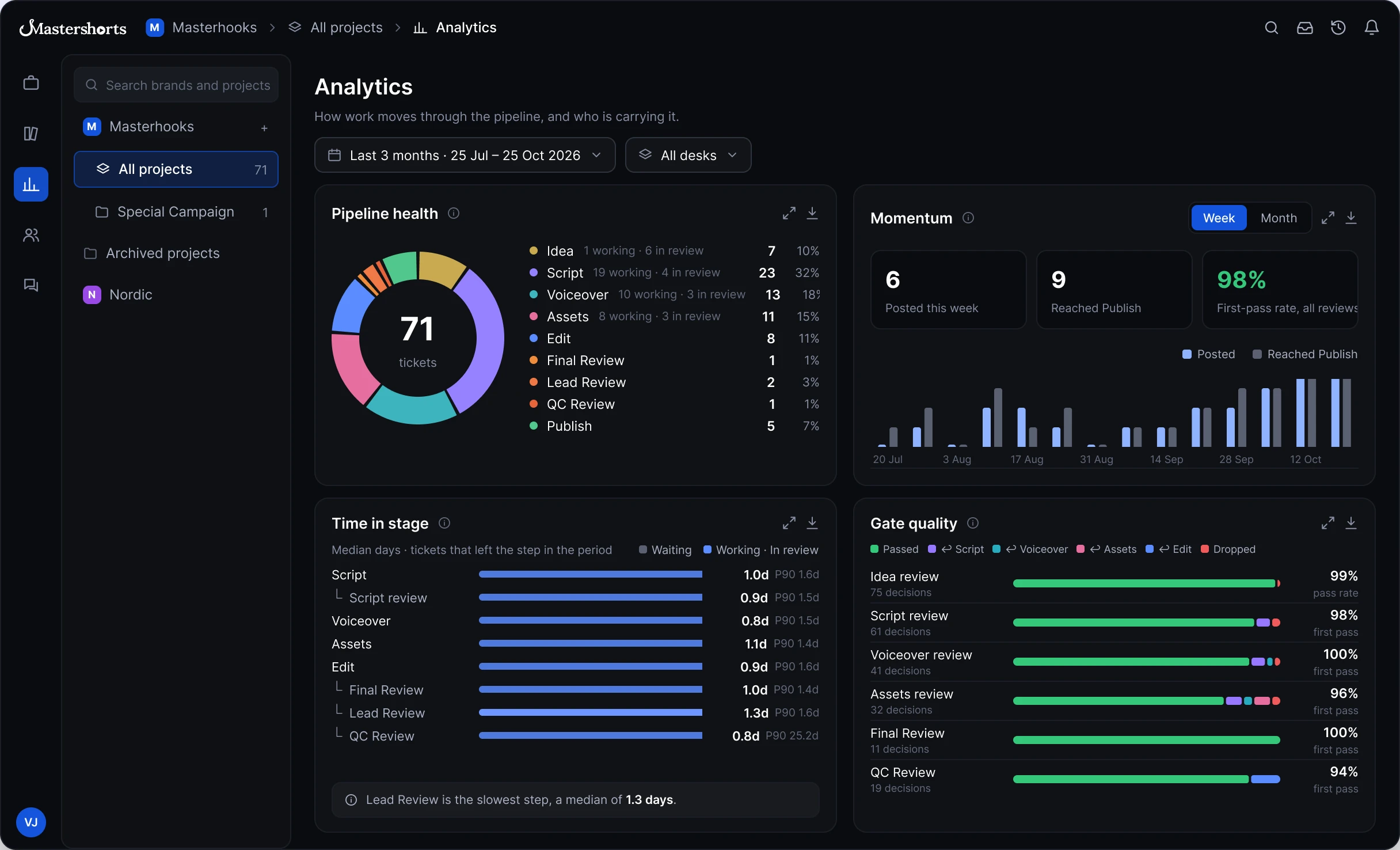
Gate Quality
Pass rate per gate and where rejects went.
On-Time Delivery
Due-date hit rate and the oldest overdue.
Review Breakdown
Comments by type, % resolved, versions per cut.
Export Anything
Every widget expands and exports.
Workflows That
Fit Your Team
Start from a preset that matches your team, then shape every phase and sign-off. Switch any time without tickets losing their place.
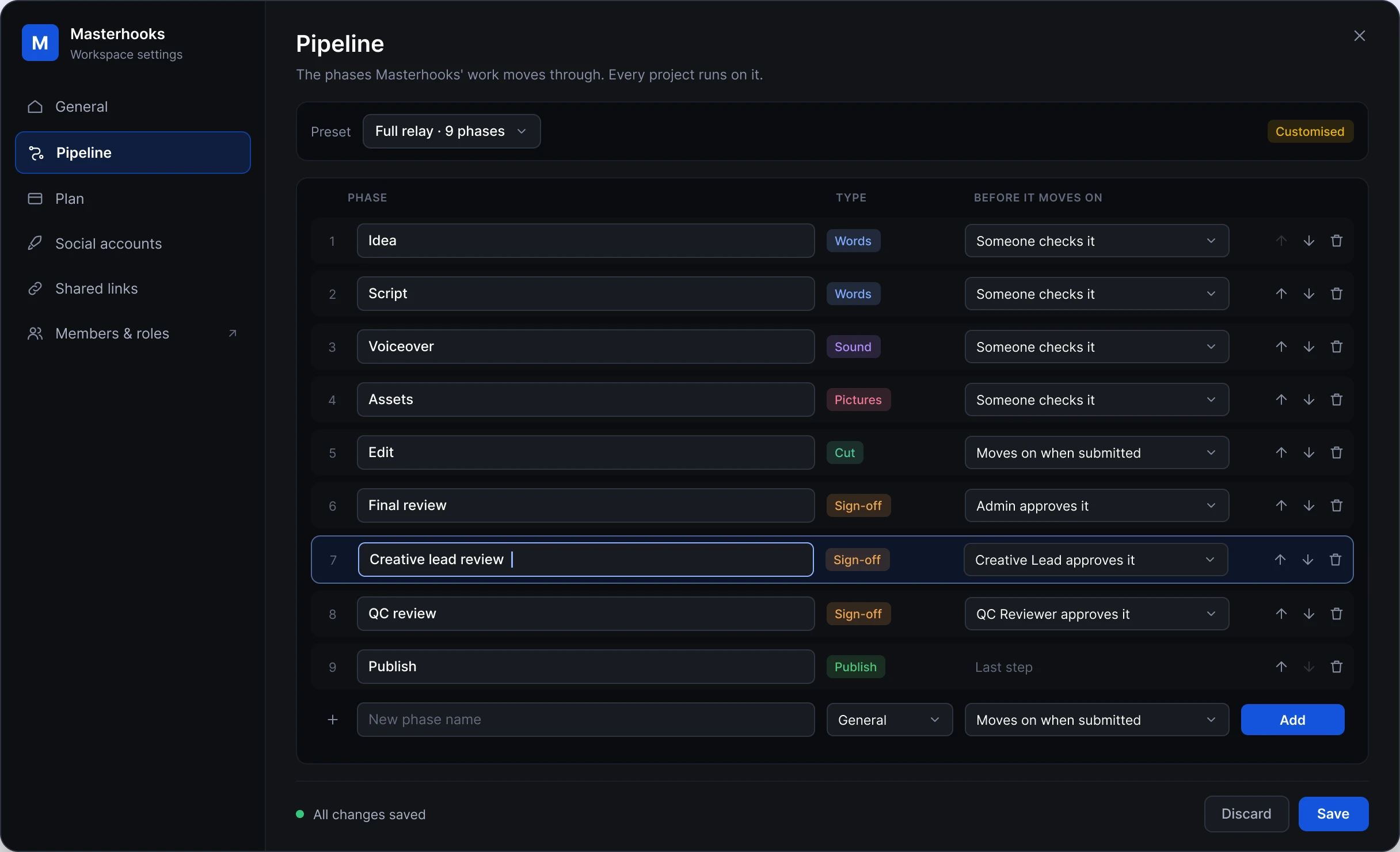
Rename and Retype Phases
Words, Sound, Pictures, Cut, Sign-off, Publish or General.
Choose Who Approves
Moves on when submitted, when checked, or when a role signs off.
Switch Safely
Every ticket keeps its place. Unused stages disappear from reports.
Your Own Words
Rename statuses so they read like your team talks.
Frequently Asked Questions
Everything teams ask before moving their content work to Mastershorts.








Start Using Mastershorts
Set up your pipeline, invite your team and move your next content piece from brief to approved cut in one place.
Start free trial